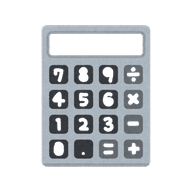
How to use the scientific calculator
Tap the keys to build an expression exactly as you would write it, for example 2sin(30)+√(16). The answer updates as you type, and = saves it to your history. Missing closing brackets are added for you. After pressing =, start typing a number to begin a new calculation, or an operator to keep working with the answer (Ans).
- 2nd switches keys to their second function: sin⁻¹, cos⁻¹, tan⁻¹, ʸ√x, 10ˣ, eˣ, ∛x, x³, |x|, nPr, nCr, Rand and log base b.
- hyp switches sin, cos and tan to sinh, cosh and tanh (with 2nd: their inverses).
- DEG / RAD / GRAD sets the angle unit for trigonometry.
- MC, MR, M+, M− clear, recall, add to and subtract from memory.
- EE enters scientific notation:
6.02E23means 6.02 × 10²³. - % divides by 100, and
200+10%gives 220, just like a shop calculator.
Order of operations
The calculator follows standard maths rules (BODMAS / PEMDAS): brackets, then powers and roots, then multiplication and division, then addition and subtraction. Powers are evaluated right to left, so 2^3^2 = 2⁹ = 512, and −3² = −9. Writing values side by side multiplies them: 2π, 3(4+1) and 2sin(30) all work.
Functions
| Key | Meaning | Example |
|---|---|---|
| sin, cos, tan | Trigonometric functions | sin(30) = 0.5 (DEG) |
| sin⁻¹, cos⁻¹, tan⁻¹ | Inverse trigonometric | sin⁻¹(1) = 90 (DEG) |
| sinh, cosh, tanh | Hyperbolic functions | cosh(0) = 1 |
| log, ln | Base-10 and natural logarithm | log(1000) = 3 |
| logb(x, b) | Logarithm of x to base b | logb(8, 2) = 3 |
| xʸ, ʸ√x | Power and y-th root | 2^10 = 1024, 8 yroot 3 = 2 |
| n! | Factorial (gamma for decimals) | 5! = 120, 0.5! ≈ 0.8862 |
| nPr, nCr | Permutations and combinations | 5 C 2 = 10, 5 P 2 = 20 |
| mod | Remainder after division | 17 mod 5 = 2 |
| |x| | Absolute value | abs(−7) = 7 |
Frequently asked questions
Why does sin(90) give 0.894 instead of 1?
The calculator is in RAD (radians) mode. Tap DEG for degrees and sin(90) gives exactly 1.
Is this calculator accurate?
Yes. It uses double-precision arithmetic and shows up to 15 significant digits, so floating-point noise is removed: 0.1 + 0.2 gives 0.3, and sin(180°) gives exactly 0.
Does it work on iPhone and Android?
Yes. The keypad is designed for touch, never opens the phone keyboard, and doesn't zoom when you tap quickly. On iPhone, add it to your home screen from Safari's Share menu to use it like an app.
Can I use my computer keyboard?
Yes. Type numbers and operators directly, press Enter for the answer, Backspace to delete and Esc to clear. Letter shortcuts: s, c, t for trig functions, l for ln, g for log, r for square root, p for π.
Is my history saved?
Your last 50 calculations, angle mode and memory are saved on your device only. Tap an answer in the history to reuse it, or the expression to edit it again.